

01 What it is
Everything you keep, in one archive.
Archives 47 is a personal knowledge app for the material you collect: writing, journals, images, media and the links between them. It lives on your Mac, and you can ask it questions.
- 01
Notes that grow into a library
Rich editing, quick capture, templates, daily notes, tags, favorites and collections. Notes support callouts, inline AI and PDF export.
- 02
Wikilinks and backlinks
Type
[[to link one note to another. Every note lists what links back to it, so ideas find each other. - 03
Journal, mood boards, media
Today, the journal, mood boards and your media library are different doors into the same archive.
- 04
Databases and views
Collections with properties, shown as a table, board, calendar or gallery.
- 05
Ask Archive
Full-text and semantic search across everything, and a chat that answers from your own notes.
- 06
Brain and Learn
Brain draws the graph of your archive on its own: links, tags, boards and related ideas. Learn turns a topic into lessons with a tutor.
02 Screens
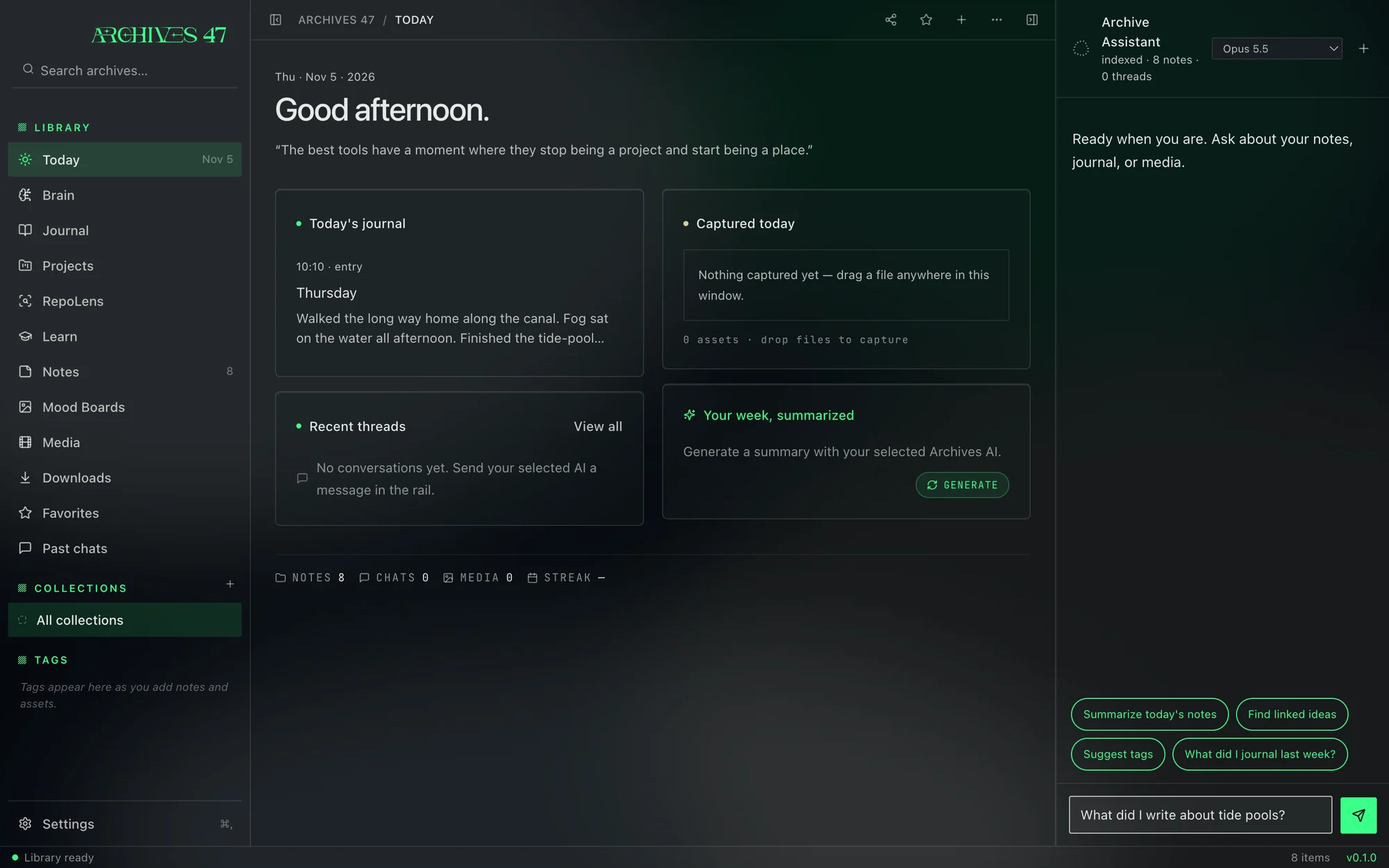
Dark, quiet, green where it counts.
Archives 47 0.1, filled with a sample library. The window is frosted glass over your desktop, with the highlight colour you pick.
03 Family

Made by Orion Terminal.
Archives 47 began as the knowledge app inside Orion Terminal. This is the same archive as a standalone Mac app, with S.U.K.I along for the ride.
Visit Orion Terminal ↗04 Install
Archives 47 for Mac.
Apple Silicon · macOS · free
The first standalone build is on its way. Follow @Orion_terminal to hear when it lands.
- A
Open the .dmg and drag Archives 47 into Applications.
- B
The app isn’t notarized yet, so macOS blocks the first launch. Open it once, then go to System Settings › Privacy & Security and click Open Anyway.
- C
Your archive stays on your Mac. To use Ask Archive, connect the AI provider you already use.